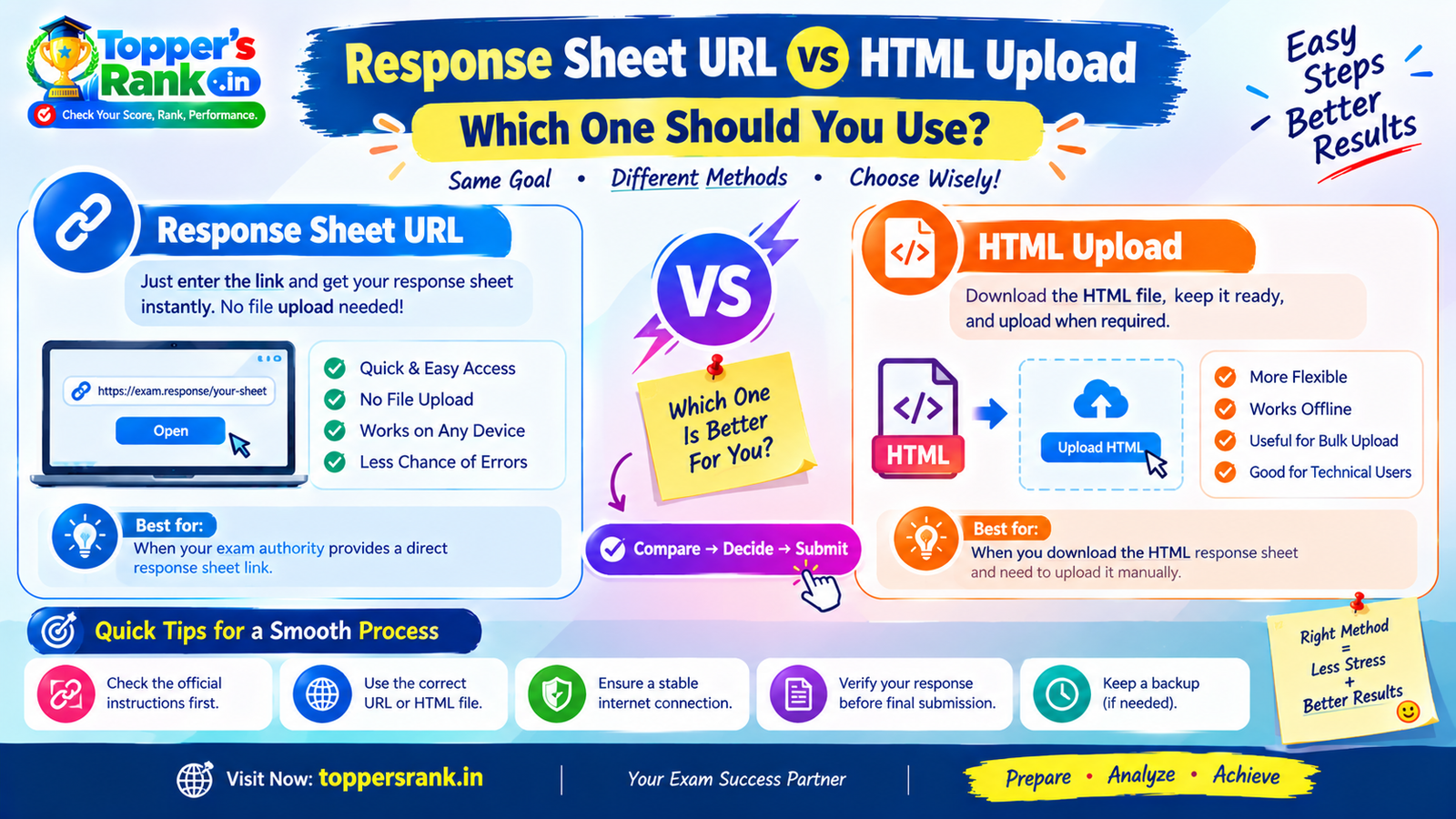
# Response Sheet URL vs HTML Upload: Which One Should You Use?
Complete Guide to Using a Response Sheet URL or Saved HTML File for Exam Score Calculation
---
# English Version
Response Sheet URL vs HTML Upload: Which Method Should You Use?
After an examination, many exam authorities publish a response sheet, answer key, or candidate response page through their official portal. To calculate an expected score, candidates may need to provide this response data to a score calculator.
Depending on how the examination authority provides the response sheet, there are usually two practical methods:
1. Enter the Response Sheet URL 2. Upload the Saved HTML Response Sheet
Both methods can be useful, but the right option depends on whether the official response page is still accessible and whether its data can be read correctly.
---
1. What Is a Response Sheet URL?
A Response Sheet URL is the web address of the candidate's response sheet page on the official examination portal.
For example, after logging into an exam portal, a candidate may open a page showing:
- Candidate name or details
- Roll number
- Question number
- Question ID
- Selected answer
- Correct answer
- Question status
- Marks or response information
In some systems, the response page has a unique URL that can be accessed while the portal remains active.
When the URL is publicly readable and does not require an active login session, the URL can be provided directly to a calculator.
Why Use a Response Sheet URL?
Using a valid URL can be the quickest method because there is no need to manually download and upload a file.
A calculator may be able to read the response information directly from the page and prepare a score summary.
---
# 2. Advantages of Using a Response Sheet URL
A valid response URL can offer several practical benefits.
Quick Access
You can paste the URL into the calculator instead of downloading a file first.
No Manual File Upload
There is no need to locate an HTML file on your computer.
Convenient for Multiple Devices
When the official response page is accessible, a URL can be easier to use from a desktop, laptop or supported mobile browser.
Lower Risk of Selecting the Wrong File
With URL-based access, there is no need to search through multiple downloaded files and accidentally upload an unrelated document.
---
# 3. When Can a Response Sheet URL Stop Working?
A response sheet URL may not remain usable indefinitely.
Some examination portals may:
- Expire response links after a certain period
- Require login credentials
- Depend on browser cookies or an active session
- Restrict access to the original device or browser session
- Block automated or server-side access
- Remove the response page after the objection or answer-key period
- Close the response window after a few days
As a result, a URL that works today may not work later.
This is one of the main reasons candidates should consider saving their response sheet as soon as it becomes available.
---
# 4. What Is an HTML Response Sheet?
An HTML response sheet is a saved copy of the response page from the browser.
When you open the response sheet on a computer, you may be able to save the page as an HTML file. Depending on the browser and portal, the saved content may contain the response information needed for later analysis.
The file may include data such as:
- Candidate details
- Roll number
- Question IDs
- Selected options
- Correct options
- Question status
- Marks-related information
- Other response-sheet fields
The exact structure varies by examination portal.
---
# 5. Why Is HTML Upload Sometimes Safer?
Uploading a saved HTML response sheet can be useful when the official URL becomes inaccessible.
For example, suppose:
- The response portal is closed.
- The link has expired.
- The website is temporarily unavailable.
- Browser cookies are required.
- The portal no longer allows direct access.
- You need to calculate your score later.
In such situations, a locally saved HTML file can preserve the response information for future use.
Important Recommendation
Save your response sheet immediately after opening it.
Do not assume that the official portal will remain available for several weeks or months.
Keeping a copy gives you an additional way to verify your answers and calculate your score later.
---
# 6. URL vs HTML Upload: Quick Comparison
| Feature | Response Sheet URL | HTML Upload | | -------------------------------- | ------------------------------ | --------------------------- | | Setup | Very quick | Requires downloading first | | File handling | No file needed | Requires saved HTML | | Works after portal closes | Usually not | May still work | | Dependent on portal availability | Yes | Less dependent after saving | | Useful for later analysis | Limited if URL expires | Useful | | Convenience | High when active | High after file is saved | | Best use | Active, readable response link | Saved response page |
---
# 7. How to Use the Response Sheet URL
If the official portal provides an accessible response link, the general process is:
Step 1: Open the Official Response Sheet
Log in to the examination authority's official website and open your response sheet.
Step 2: Check the Page Carefully
Make sure the page actually displays your candidate responses.
Step 3: Copy the Correct URL
Copy the complete address of the response sheet page.
Step 4: Paste the URL into the Calculator
Enter the URL into the supported response-sheet field.
Step 5: Verify the Result
After the calculator reads the data, check whether the candidate details, questions and responses have been identified correctly.
---
# 8. How to Save the Response Sheet as HTML
If the portal allows you to open the complete response sheet in a browser, you can generally save the page using the browser's Save Page or similar option.
The exact steps depend on the browser and operating system.
After saving:
- Locate the HTML file.
- Open it once to verify that the page contains the complete response sheet.
- Keep the file in a safe location.
- Upload that file to the calculator when needed.
It is useful to keep a backup copy as well.
---
# 9. How to Check Whether the HTML File Is Valid
Not every HTML file is suitable for score calculation.
Before uploading, make sure the file represents the actual response sheet page.
A useful response HTML may contain information such as:
- Roll number
- Candidate name or candidate identifier
- Question IDs
- Selected options
- Correct options
- Question status
- Response details
The exact fields vary from one examination portal to another.
Files That May Not Work
Do not assume that the following are valid response files:
- A screenshot saved as an image
- A login page
- A blank HTML page
- A portal landing page
- An error page
- A page that only contains navigation menus
- An incomplete download
A screenshot may show the answers visually, but it does not necessarily contain the structured data required by a calculator.
---
# 10. Why a Screenshot Is Different from an HTML Response Sheet
This distinction is important.
Screenshot
A screenshot is an image of what appeared on the screen.
It may be useful for personal records, but it usually does not contain structured response data that software can directly process.
HTML Response Sheet
An HTML file may contain the underlying page structure and response information.
A calculator can potentially extract fields such as:
Question ID → Selected Option → Correct Option
and then use those values for score calculation.
Therefore, a proper HTML response file is generally more suitable than a screenshot when the calculator supports HTML parsing.
---
# 11. What Happens If Important Fields Are Missing?
A calculator can only produce a reliable calculation when the response sheet contains enough relevant information.
For example, if the uploaded file does not contain:
- Question IDs
- Candidate responses
- Correct options
- Response status
the system may not be able to determine the score accurately.
In that situation, the result may be incomplete or unavailable.
Candidates should therefore verify the file before uploading it.
---
# 12. Privacy and Data Safety
Response sheets can contain personal or examination-related information.
Depending on the examination portal, a response sheet may include:
- Name
- Roll number
- Registration number
- Candidate ID
- Examination details
- Question responses
For privacy and security, avoid uploading unrelated documents or personal files.
Use only the file required for the score-calculation process.
Good Practice
Before uploading:
- Check the file name.
- Confirm that it belongs to the correct examination.
- Avoid combining unrelated documents.
- Do not upload your login credentials.
- Do not share passwords or OTPs.
- Keep a private backup of your original response file.
---
# 13. What Should You Do When Both Options Are Available?
When both a working URL and a saved HTML file are available, the URL may be convenient for quick analysis.
However, retaining the HTML copy is still useful because the URL may stop working later.
A practical approach is:
Use the active URL for quick calculation + Save the HTML copy for future reference.
This gives you both immediate convenience and a backup record.
---
# 14. When Should You Prefer URL Access?
A Response Sheet URL may be suitable when:
- The official link is still active.
- The page loads correctly.
- The response data is visible.
- The calculator supports URL-based reading.
- No special browser session is required.
- You want the quickest method.
---
# 15. When Should You Prefer HTML Upload?
HTML upload may be more useful when:
- The response URL has expired.
- The official portal is temporarily unavailable.
- The response page requires browser cookies.
- The portal has stopped serving the page.
- You want a permanent local copy.
- You need to perform analysis later.
- You already saved the response sheet after the exam.
---
# 16. Common Mistakes to Avoid
Mistake 1: Copying the Wrong URL
Candidates may accidentally copy the login URL or a generic portal URL instead of the actual response sheet URL.
Mistake 2: Uploading a Login Page
A saved login page does not necessarily contain candidate responses.
Mistake 3: Uploading a Screenshot
An image may not contain machine-readable response data.
Mistake 4: Saving an Incomplete Web Page
Some pages depend on scripts or session data. The saved file may therefore not contain all required information.
Mistake 5: Waiting Too Long
The response window may close or the link may expire.
Mistake 6: Uploading the Wrong Examination File
Always confirm the exam name, date, shift and candidate details before submitting.
---
# 17. Recommended Workflow
A simple and practical workflow is:
Open Official Response Sheet → Verify It → Save HTML Copy → Copy URL → Use URL if Active → Keep HTML Backup → Calculate Score → Verify Result
This approach reduces the risk of losing access to your response data.
---
# 18. Final Takeaway
A Response Sheet URL is generally the quickest option when the official response page is active, accessible and readable by the calculator.
An HTML upload becomes particularly useful when the response URL may expire, the examination portal requires browser-specific access, or you want to preserve the response data for future score calculations.
The most practical approach is not necessarily to choose only one method. Candidates can use the active URL for immediate convenience while also saving the response sheet as an HTML file for future reference.
Most importantly, always make sure the uploaded file is the actual response sheet, not a screenshot, login page or unrelated HTML document. The quality and completeness of the response data directly affect the reliability of the calculated score.
---
# हिंदी संस्करण
# Response Sheet URL vs HTML Upload: आपको कौन-सा तरीका इस्तेमाल करना चाहिए?
ऐसे में आमतौर पर दो तरीके उपयोगी होते हैं:
1. Response Sheet URL डालना 2. Saved HTML Response Sheet Upload करना
---
1. Response Sheet URL क्या होता है?
Response Sheet URL आपके Response Sheet Page का Web Address होता है।
Official Examination Portal पर Login करने के बाद Candidate को ऐसी जानकारी दिखाई जा सकती है:
- Candidate Name
- Roll Number
- Question Number
- Question ID
- Selected Answer
- Correct Answer
- Question Status
- Response Information
कुछ Examination Portals एक ऐसा Unique URL देते हैं जिसके माध्यम से Response Sheet खोली जा सकती है।
---
# 2. Response Sheet URL इस्तेमाल करने के फायदे
तेज तरीका
URL को सीधे Calculator में डालकर Analysis शुरू किया जा सकता है।
File Upload की आवश्यकता नहीं
पहले HTML File Download करके फिर Upload करने की आवश्यकता नहीं पड़ती।
यदि Official Response Page सही तरीके से Open हो रहा है, तो URL का उपयोग Desktop, Laptop या Supported Mobile Browser से किया जा सकता है।
गलत File Upload होने की संभावना कम
File Manager में कई Files में से सही File खोजने की आवश्यकता नहीं रहती।
---
# 3. Response Sheet URL कब काम करना बंद कर सकता है?
Response Sheet URL हमेशा Active रहे, यह जरूरी नहीं है।
कुछ Examination Portals:
- कुछ दिनों बाद Link Expire कर सकते हैं।
- Login Required कर सकते हैं।
- Browser Cookies पर निर्भर हो सकते हैं।
- Active Session की आवश्यकता रख सकते हैं।
- Server-side Access को Restrict कर सकते हैं।
- Objection Window समाप्त होने के बाद Response Page बंद कर सकते हैं।
- कुछ समय बाद पूरी Response Window हटा सकते हैं।
इसलिए जो URL आज काम कर रहा है, जरूरी नहीं कि वह कुछ सप्ताह बाद भी काम करे।
इसी कारण Response Sheet उपलब्ध होते ही उसकी एक सुरक्षित Copy रखना उपयोगी है।
---
# 4. HTML Response Sheet क्या होती है?
HTML Response Sheet Browser में खुली Response Sheet Page की Saved Copy होती है।
यदि Examination Portal Response Page को Browser में खोलने देता है, तो कुछ परिस्थितियों में उस Page को HTML File के रूप में Save किया जा सकता है।
इसमें निम्न जानकारी हो सकती है:
- Candidate Details
- Roll Number
- Question IDs
- Selected Options
- Correct Options
- Question Status
- Marks-related Information
- Response Details
---
# 5. HTML Upload कब ज्यादा उपयोगी है?
HTML Upload खास तौर पर तब उपयोगी हो सकता है जब Official URL बाद में उपलब्ध न रहे।
उदाहरण के लिए:
- Response Portal बंद हो गया हो।
- URL Expire हो गया हो।
- Website temporarily unavailable हो।
- Browser Cookies की आवश्यकता हो।
- Portal ने Response Page हटाया हो।
- आपको कुछ समय बाद Score Calculate करना हो।
ऐसी स्थिति में Saved HTML File आपके Response Data को Future Analysis के लिए सुरक्षित रख सकती है।
महत्वपूर्ण सुझाव
Response Sheet उपलब्ध होते ही उसे Save कर लें।
यह मानकर न चलें कि Official Portal कई सप्ताह या कई महीने तक उपलब्ध रहेगा।
---
# 6. Response Sheet URL और HTML Upload की तुलना
---
# 7. Response Sheet URL का उपयोग कैसे करें?
Step 1: Official Response Sheet खोलें
Step 2: Page को Verify करें
सुनिश्चित करें कि Page वास्तव में आपकी Candidate Response Sheet है।
Step 3: सही URL Copy करें
Response Sheet Page का पूरा URL Copy करें।
Step 4: Calculator में URL Paste करें
Supported Response Sheet URL Field में URL डालें।
Step 5: Result Verify करें
Calculator द्वारा Data Read होने के बाद Candidate Details, Questions और Responses की जानकारी सही पहचान ली गई है या नहीं, यह जांचें।
---
# 8. Response Sheet को HTML के रूप में कैसे Save करें?
यदि Portal Browser में Complete Response Sheet दिखाता है, तो Browser के Save Page या इसी प्रकार के Option से Page को Save किया जा सकता है।
Exact Steps आपके Browser और Operating System पर निर्भर कर सकते हैं।
Save करने के बाद:
- HTML File का Location देखें।
- File को एक बार Open करके Verify करें।
- सुनिश्चित करें कि इसमें Complete Response Sheet मौजूद है।
- इसे सुरक्षित Folder में रखें।
- आवश्यकता पड़ने पर Calculator में Upload करें।
एक Backup Copy रखना भी उपयोगी है।
---
# 9. HTML File Valid है या नहीं, कैसे जांचें?
हर HTML File Score Calculation के लिए उपयुक्त नहीं होती।
Upload करने से पहले सुनिश्चित करें कि वह Actual Response Sheet Page की Saved Copy है।
एक Valid Response HTML में निम्न जानकारी हो सकती है:
- Roll Number
- Candidate Name या Candidate ID
- Question IDs
- Selected Options
- Correct Options
- Question Status
- Response Details
Exact Fields Examination Portal पर निर्भर करते हैं।
---
# 10. कौन-सी Files काम नहीं कर सकतीं?
इन Files को Valid Response Sheet मान लेना सही नहीं है:
- Screenshot
- Login Page
- Blank HTML Page
- Portal Home Page
- Error Page
- केवल Navigation वाली Page
- Incomplete Download
Screenshot में Answers दिखाई दे सकते हैं, लेकिन उसमें Software द्वारा पढ़े जाने योग्य Structured Data जरूरी नहीं होता।
---
Screenshot
Screenshot केवल Screen पर दिखाई देने वाली जानकारी की Image होती है।
यह Personal Record के लिए उपयोगी हो सकती है, लेकिन Calculator के लिए जरूरी Structured Response Data इसमें मौजूद हो, यह जरूरी नहीं है।
HTML Response Sheet
HTML File में Page Structure और Response Data मौजूद हो सकता है, जिसे Calculator पढ़ सकता है।
उदाहरण:
Question ID → Selected Option → Correct Option
इस Information के आधार पर Score Calculate किया जा सकता है।
---
# 12. यदि जरूरी Data Missing हो तो क्या होगा?
Calculator तभी बेहतर Score Calculation कर सकता है जब Response Sheet में पर्याप्त Information उपलब्ध हो।
उदाहरण के लिए यदि File में:
- Question IDs
- Selected Responses
- Correct Options
- Question Status
जैसी आवश्यक जानकारी उपलब्ध नहीं है, तो Score Calculation incomplete या unavailable हो सकती है।
इसलिए Upload से पहले File Verify करना जरूरी है।
---
# 13. Privacy और Data Safety
Response Sheet में Personal और Examination-related Information हो सकती है।
इसमें शामिल हो सकते हैं:
- Name
- Roll Number
- Registration Number
- Candidate ID
- Examination Details
- Question Responses
इसलिए केवल वही File Upload करें जो Score Calculation के लिए आवश्यक है।
च्छी Practice
Upload करने से पहले:
- File Name Check करें।
- सही Examination की File है या नहीं देखें।
- Unrelated Documents Upload न करें।
- Login Password Share न करें।
- OTP Share न करें।
- Original Response File की Private Backup Copy रखें।
---
# 14. यदि URL और HTML दोनों उपलब्ध हों तो क्या करें?
यदि आपके पास एक Active Response Sheet URL भी है और Saved HTML File भी, तो Active URL तुरंत Analysis के लिए सुविधाजनक हो सकता है।
लेकिन HTML Copy रखना फिर भी उपयोगी है, क्योंकि बाद में URL Expire हो सकता है।
एक practical तरीका:
Active URL से जल्दी Calculation करें + HTML File को Backup के रूप में Save रखें।
इससे तत्काल सुविधा और Future Backup दोनों मिल जाते हैं।
---
# 15. Response Sheet URL कब इस्तेमाल करें?
URL Method उपयोगी हो सकता है जब:
- Official Link Active हो।
- Response Page सही Open हो रहा हो।
- Candidate Responses दिखाई दे रहे हों।
- Calculator URL Reading Support करता हो।
- किसी Special Browser Session की आवश्यकता न हो।
- आप जल्दी Score Calculate करना चाहते हों।
---
# 16. HTML Upload कब इस्तेमाल करें?
- Response URL Expire हो गया हो।
- Official Portal उपलब्ध न हो।
- Browser Cookies आवश्यक हों।
- Portal ने Response Page हटाया हो।
- आपको Permanent Local Copy चाहिए।
- Future में Score Analysis करना हो।
- आपने Exam के बाद Response Sheet Save कर ली हो।
---
# 17. आम गलतियाँ जिनसे बचना चाहिए
गलती 1: गलत URL Copy करना
कई बार Candidate Response Page की जगह Login URL या Main Portal URL Copy कर दिया जाता है।
गलती 2: Login Page Upload करना
Login Page में Candidate Responses मौजूद होना जरूरी नहीं है।
गलती 3: Screenshot Upload करना
Screenshot में Machine-readable Response Data नहीं हो सकता।
गलती 4: Incomplete Web Page Save करना
कुछ Portals JavaScript या Session Data पर निर्भर करते हैं। ऐसे में Saved File में जरूरी Information न हो सकती है।
गलती 5: बहुत देर करना
Portal बंद हो सकता है या Response Link Expire हो सकता है।
गलती 6: गलत Exam की File Upload करना
Exam Name, Shift, Date और Candidate Details को Verify करें।
---
# 18. Recommended Workflow
एक practical workflow इस प्रकार हो सकता है:
Official Response Sheet खोलें → Verify करें → HTML Copy Save करें → URL Copy करें → Active URL हो तो इस्तेमाल करें → HTML Backup रखें → Score Calculate करें → Result Verify करें
यह तरीका Response Data खोने की संभावना कम करता है।
---
जब Official Response Sheet URL Active, Accessible और Calculator द्वारा Readable हो, तब Response Sheet URL सामान्यतः सबसे तेज तरीका होता है।
वहीं HTML Upload तब विशेष रूप से उपयोगी हो सकता है जब URL Expire हो जाए, Portal बाद में उपलब्ध न हो, Browser Session की आवश्यकता हो या आप Response Data को भविष्य के लिए सुरक्षित रखना चाहते हों।
इसलिए केवल एक Method चुनना हमेशा जरूरी नहीं है। Candidate Active URL का उपयोग तुरंत Score Calculate करने के लिए कर सकता है और साथ ही Saved HTML Copy को भविष्य के लिए सुरक्षित रख सकता है।
सबसे महत्वपूर्ण बात यह है कि Upload की जाने वाली File Actual Response Sheet होनी चाहिए—न कि Screenshot, Login Page या कोई Unrelated HTML File। Response Data जितना Complete और सही होगा, Score Calculation उतना ही उपयोगी और विश्वसनीय होगा।
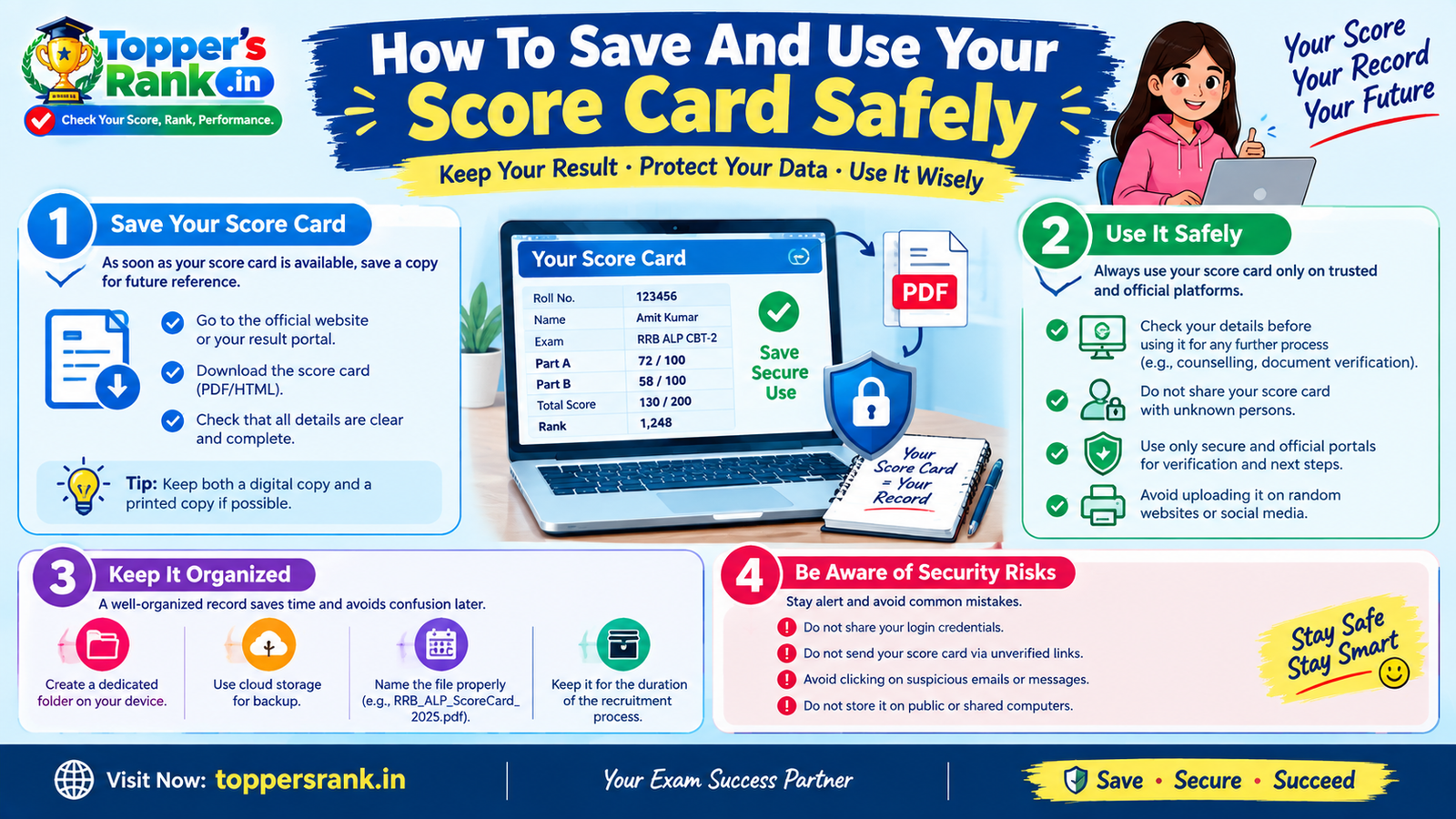 Exam Guidance · 16 minHow To Save And Use Your Score Card Safely
 Exam Guidance · 18 minRRB ALP CBT-2 Score Analysis: Part A, Part B and Merit
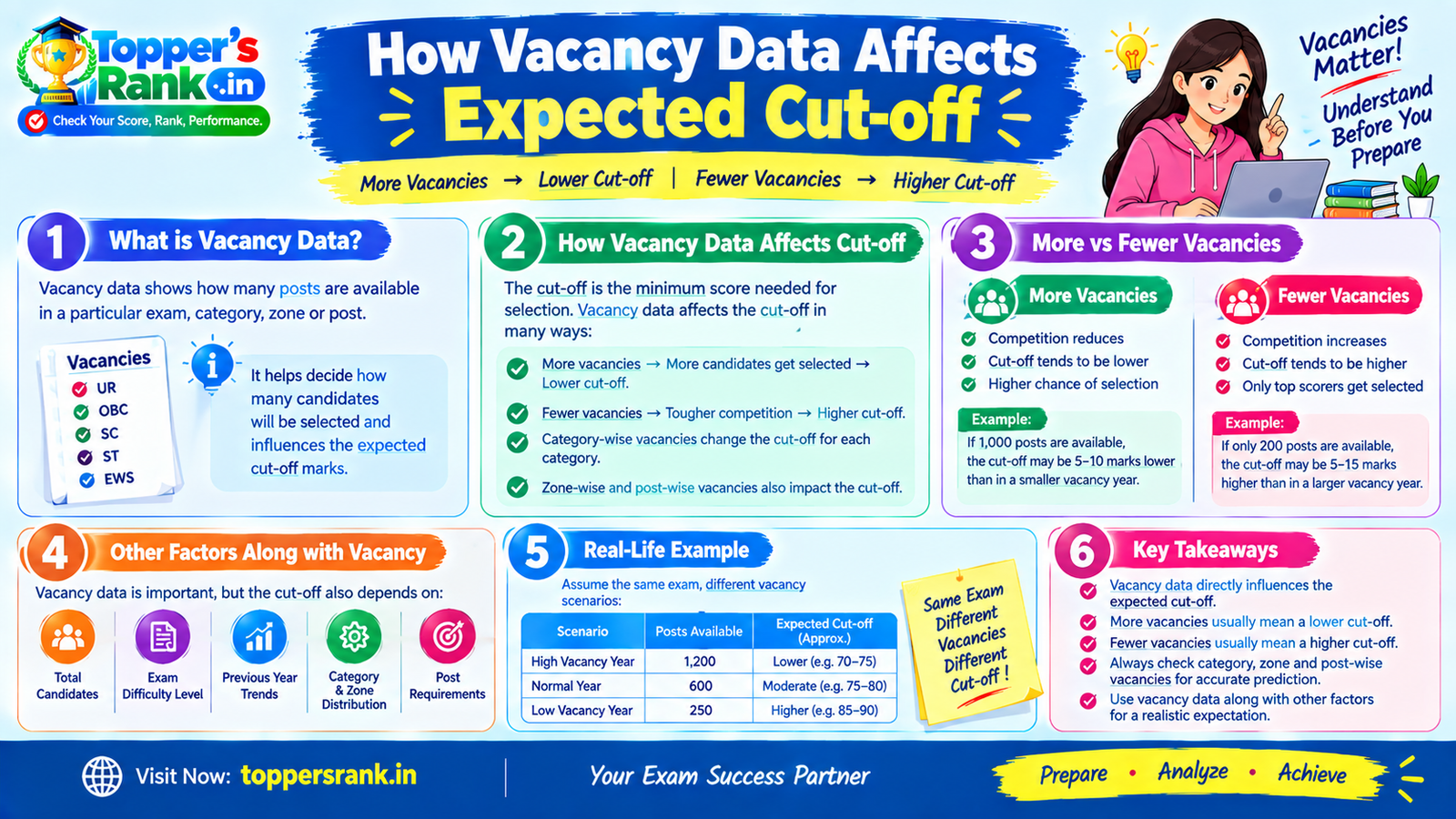 Exam Guidance · 10 minHow Vacancy Data Affects Expected Cut-off